Honeygain Review 2026: What You Actually Earn, After the Fees

Honeygain pays you for your unused internet bandwidth by routing it through a residential proxy network. Earnings are small and slow, roughly $1 to $3 per month on one device, but they are genuinely passive.

Disclosure: This post may contain affiliate links. As an Amazon Associate, we earn from qualifying purchases. This comes at no extra cost to you. Read our full disclosure, or see how we review platforms.
Honeygain is a legit app that pays you for sharing your unused internet bandwidth, about $1 to $3 a month per device. You cash out at $20, and PayPal takes a 15% fee, so the crypto route pays more.
Join HoneygainHoneygain pays you for your unused internet bandwidth by routing it through a residential proxy network. Earnings are small and slow, roughly $1 to $3 per month on one device, but they are genuinely passive. It suits people with unlimited home internet and several devices. It does not suit anyone on a capped data plan.
Most reviews of this app land in one of two camps. Either they hype a screenshot of some outlier’s five-figure year, or they dismiss the whole category as a scam without explaining the mechanics.
Neither helps you decide. The useful question is narrower: what does the money actually look like on a normal home connection, and what are you handing over to earn it?
This review answers that with concrete rates, the payout math most articles skip, and a straight read on the privacy trade. Honeygain is legitimate, but legitimate and worthwhile are different tests.
- Genuinely passive once installed
- Real payouts via PayPal or JMPT
- Doesn't collect browsing data
- Runs on desktop and Android
- $2 starting bonus for new accounts
- 15% fee on PayPal withdrawals
- $20 minimum takes months to hit
- A net loss on capped data plans
- iOS app barely earns anything
- Best earning mode often sits in queue
How We Assessed This App
This review judges the app on five factors rather than a single earnings figure:
- Published rates and thresholds taken from the company’s own dashboard and payout terms, not from third-party estimates
- Effective payout value after fees, since the headline balance and the money that reaches you are different numbers
- Privacy scope, meaning what the company states it collects versus what the model actually requires
- Platform behavior across desktop and mobile, where background limits change the outcome
- Reported user consensus on rates, wait times, and complaints
What Is Honeygain?
Honeygain is a passive income app that buys the portion of your internet connection you are not using and resells it to businesses that need residential IP addresses. You install it, sign in, and it runs quietly until you request a payout.
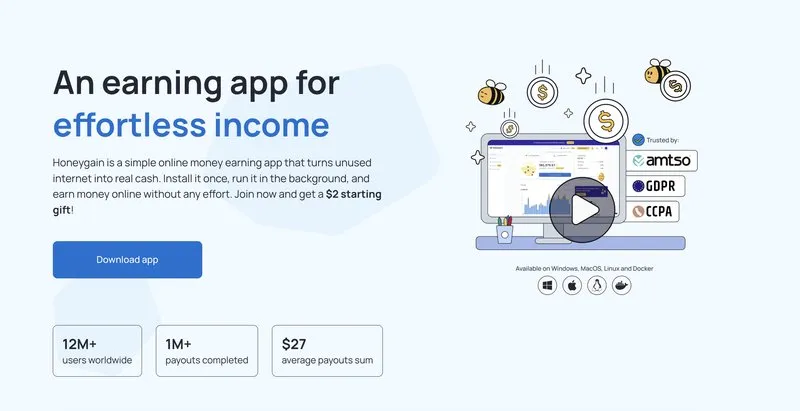
The app launched in May 2019 and is operated by Swarmbyte Inc, registered in Albany, New York. Honeygain says on its site that it now has more than 12 million users worldwide and has completed over 1 million payouts.
That scale matters for one reason only. It means the payout pipe is real and tested, which is the one thing separating this category from the apps that quietly stop paying around month four.
Honeygain runs on Android, Windows, macOS, and Linux. There is an iOS build, but Apple’s background execution limits make it substantially less useful than the desktop versions, which is a point we come back to.
What Honeygain Is Not
It is not a survey app, a game, or a task platform. There is nothing to click, watch, or complete.
It’s also not a meaningful income source. Anyone framing it that way is selling you a referral link, and the math below shows why.
How Honeygain Works
The app turns your device into one node in a residential proxy network. Businesses pay to route web requests through real household connections, and you get a cut.
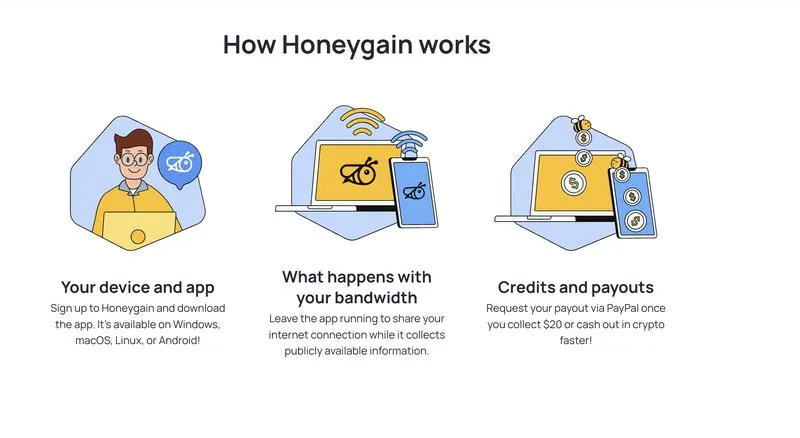
Your home connection sits idle most of the day. Even while you stream, you’re using a fraction of the capacity you pay your ISP for every month.
Honeygain sells that idle slice, and the buyers want it specifically because it comes from a household rather than a datacenter.
Why Companies Pay for Residential Bandwidth
Almost every review glosses over this part, and it’s the key to whether the app is above board.
Websites treat traffic from datacenter IP addresses with suspicion and frequently block it. Traffic from a residential connection in Ohio looks like an ordinary person browsing, so it gets served normally.
That makes residential bandwidth commercially valuable. A proxy server network built from real household connections is worth real money to companies doing price comparison, ad verification, and brand protection work.
Honeygain’s stated clients are data scientists and large companies gathering publicly available web data. Typical uses include market research, ad fraud detection, travel fare aggregation, and SEO monitoring.
So the business model holds together. You’re not being paid for nothing, you’re being paid because your IP address has a property no datacenter can fake.
What Actually Runs on Your Device
The app opens a connection to Honeygain’s network and waits. When a client request comes in, your device fetches a public web page and passes the result back.
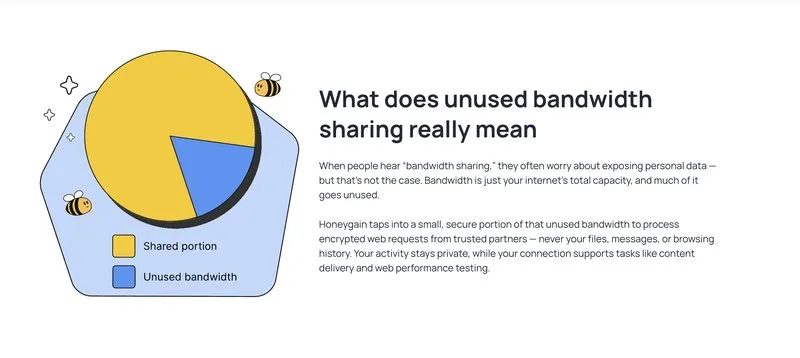
It’s lightweight by design, drawing a negligible slice of CPU on desktop. You’re unlikely to notice it running at all unless your connection is already saturated.
What You Are Actually Selling
It helps to name the product precisely, because most of the confusion here traces back to the wrong answer.
You’re not selling your data. You’re selling your legitimacy as a residential internet subscriber.
The distinction is everything. A data broker wants to know what you watched, searched, and bought, and that information is valuable because it describes you.
What gets sold here describes nothing about you at all. The commercial value sits entirely in the fact that your connection is indistinguishable from a normal person’s, because it is one.
That’s why this model can be privacy-light in a way survey panels structurally can’t. The buyer doesn’t want your behavior, and collecting it would add cost without adding value.
The flip side: your address carries the reputational weight of whatever passes through it. You aren’t exposed, but you are associated, and those are different kinds of risk.
The Four Ways to Earn on Honeygain
Four mechanics pay into your balance: Gathering, Content Delivery, the Lucky Pot, and referrals. They pay at very different rates, and the default is not the best one.
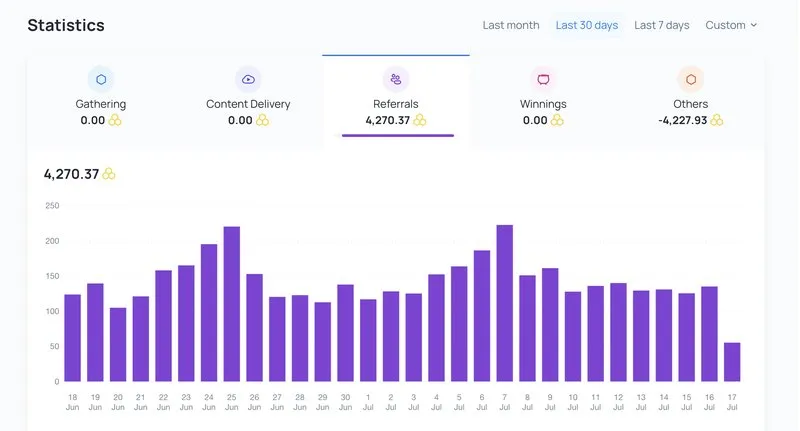
Earnings arrive as credits, where 1,000 credits equals $1.
Understanding the split matters because the feature the app is famous for is not the one that pays best.
1. Gathering (the Default)
This is standard network sharing and it starts automatically after install. Your bandwidth gets used for client requests, and the company’s own earnings dashboard puts the rate at 3 credits per 10 MB of traffic.
That works out to roughly $1 per 10 GB shared. It’s the baseline every Honeygain earning estimate is built on.
Your connection needs to sustain at least 10 Mb/s to be used at all. Speeds above 100 Mb/s won’t increase your rate, so a gigabit line earns the same as a solid mid-tier plan.
2. Content Delivery (Desktop Only, Opt-In)
Content Delivery is the most underexplained feature in this app and the one most likely to change your monthly total.
Instead of small data grabs, your connection handles bandwidth-heavy content like video and images. The dashboard rates it at 6 credits per hour rather than per megabyte, and it stacks on top of Gathering rather than replacing it.
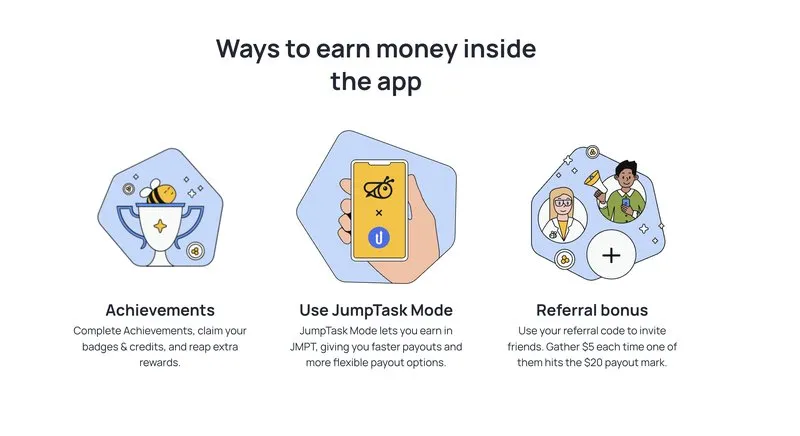
The catch is availability. Content Delivery is capped by how many nodes Honeygain needs at once, so many users sit “In Queue” for long stretches and never earn from it despite having it enabled.
It’s also geographically restricted to a subset of countries. Treat it as a bonus that might never activate, not as part of your baseline.
3. Lucky Pot
Every day the app offers a Lucky Pot, a chance-based credit bonus you claim with one tap. Payouts are usually small, in the 5 to 50 credit range, with rare larger drops.
Over a month this might add a dollar. Not a reason to use the app, but it’s free and takes three seconds.
4. The Referral Program
This is where the outlier income stories come from.
Referrals pay you 500 credits once your invitee gathers 2 GB, plus a 10% recurring bonus on everything they ever earn. That bonus is paid by Honeygain, not deducted from your referral.
The recurring cut is the entire engine behind every “I made $2,000 with Honeygain” headline. Those earnings come from audience size, not bandwidth, and they simply aren’t reproducible for someone without a blog or a large following.
If you’ve got no audience to refer, your realistic ceiling is the Gathering rate. Plan around that number.
How Much Can You Actually Earn?
Expect $1 to $3 per month on a typical household setup, not the figures in the marketing. Device count, separate IP addresses, and your country drive the number.
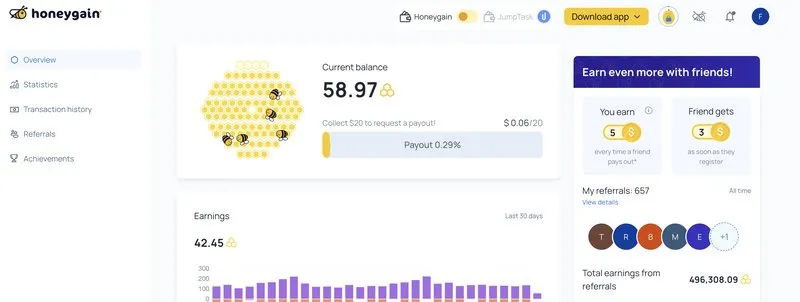
At 3 credits per 10 MB, you need to share about 66 GB of traffic to hit the $20 payout threshold. A single always-on desktop on a typical residential connection shares somewhere between 3 and 10 GB per month.
Realistic Monthly Earnings by Setup
| Setup | Est. monthly data shared | Est. monthly earnings | Time to reach $20 |
|---|---|---|---|
| 1 device (laptop, often closed) | 2 to 5 GB | $0.20 to $0.50 | 8 to 12+ months |
| 1 device (desktop, always on) | 6 to 10 GB | $0.60 to $1.00 | 5 to 8 months |
| 3 devices, separate IPs | 18 to 30 GB | $1.80 to $3.00 | 2 to 4 months |
| 3 devices + active Content Delivery | 25 to 40 GB | $4.00 to $7.00 | 1 to 2 months |
These are conservative ranges based on the published 3-credits-per-10-MB rate and typical residential sharing volumes. Your location is the biggest variable, since demand for US, Canadian, and Western European IP addresses runs higher than elsewhere.
Honeygain’s own numbers support the modest read. The company reports an average payout of $27, which tells you most users are cashing out near the minimum rather than clearing large sums.
The Number the Homepage Shows You
Marketing figures for this app have historically pointed at $50 or more per month. That assumes many devices across many distinct IP addresses with Content Delivery running constantly.
It’s achievable, but not in one household. Reaching it means a setup most people would reasonably call a side project rather than passive income.
Why Your Country Changes Everything
Location swamps every other variable, and it’s why two users with identical hardware report wildly different totals.
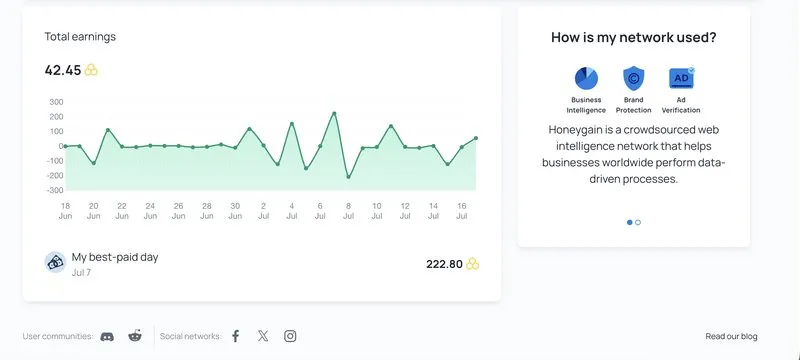
Demand drives the rate. Clients pay for IP addresses in markets they need to see, so connections in the US, Canada, the UK, and Western Europe get used far more often than connections elsewhere.
If you’re in a high-demand market, the ranges in the table above are reasonable. If you’re not, halve them and you’ll be closer.
This is also why comparing your dashboard against a stranger’s screenshot is a waste of energy. You’re not running the same experiment.
What Your First 90 Days Actually Look Like
Here’s the honest timeline for a typical single-desktop setup.
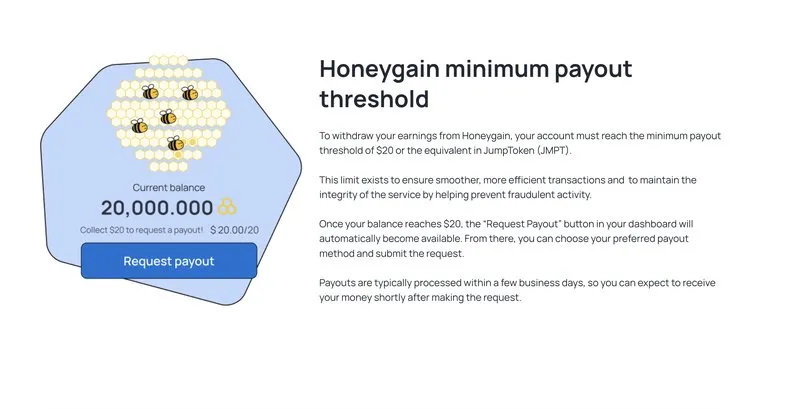
Week 1. You install, claim the $2 starting gift, and watch the counter move in increments that feel broken. A few hundred credits at most. This is the point where most people uninstall, and it is the point where the app is working exactly as designed.
Weeks 2 to 4. You cross roughly 1,000 credits, or about $1. Content Delivery, if you enabled it, has probably said “In Queue” every time you checked and earned you nothing.
Month 2. You’re somewhere around $2 total and you’ve stopped opening the dashboard. That’s the correct behavior. The app is now doing the only thing it’s good at, which is running while you ignore it.
Month 3. Roughly $3 accumulated, and the $20 threshold is still visibly months away. If you added a second device on a separate connection, you’re meaningfully ahead of this curve.
The pattern worth internalizing: nothing about this rewards attention. Checking daily converts a passive earner into an active disappointment, and the people who report the best experience are the ones who forgot they installed it.
How Payouts Work, and the Fee That Changes the Math
You cash out via PayPal or a partner crypto token, and the choice matters more than most people realize. One route is taxed, the other is subsidized.
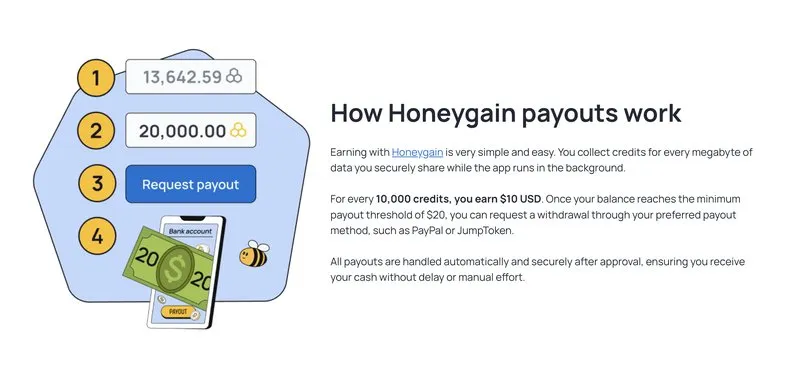
Honeygain sets its payout minimum at $20, or 20,000 credits, for PayPal withdrawals. You request from the dashboard and the company asks for up to 48 hours to process.
Then comes the detail that quietly costs users a third of their earnings.
PayPal vs. Crypto: a 35% Swing
PayPal withdrawals carry a 15% transaction fee, per Honeygain’s published payout terms. Cash out $20 and $17 lands in your account.
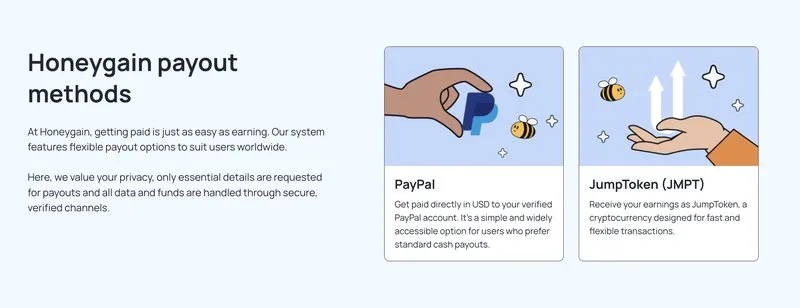
The alternative is JumpToken, Honeygain’s partner crypto token, usually written as JMPT. JMPT withdrawals have no transaction fee, and Honeygain adds a 20% bonus on top.
| Payout method | Fee | Bonus | You receive on $20 |
|---|---|---|---|
| PayPal | 15% | None | $17.00 |
| JumpToken (JMPT) | None | +20% | $24.00 |
That is a $7 difference on a $20 withdrawal, a net 35% swing between the two routes. On an app where a year of single-device earning might total $10, choosing the wrong button is not a rounding error.
The honest caveat is that JMPT is a volatile crypto asset, not cash. You’re trading a guaranteed $17 for $24 of something whose value moves, and cashing it out means an exchange account and another set of fees.
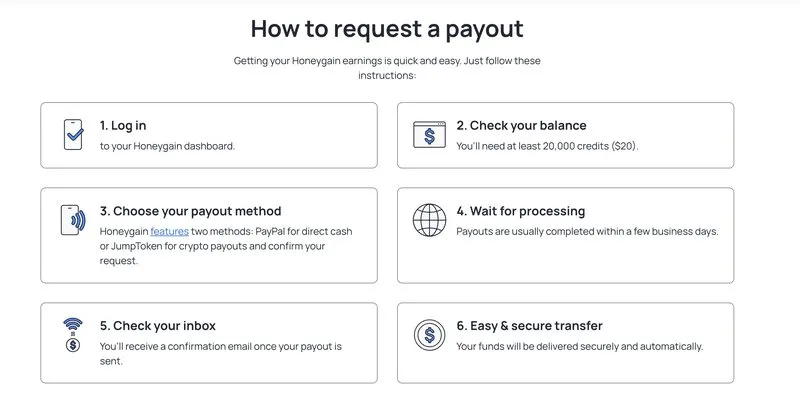
For most people the PayPal fee is worth swallowing for the simplicity. If you already hold crypto and have an exchange set up, JMPT is clearly the better rate.
Honeygain’s payout operations have at least been recognized externally. The company was named in Tipalti’s 2025 Mass Payment Award, which covers platforms delivering reliable payouts at scale.
Is Honeygain Safe? The Privacy Question Answered Directly
Safe in the sense that matters most, yes: the model has no use for your browsing history. The real trade is reputational, not personal.
“Is Honeygain safe” is one of the most common searches attached to this app, and it deserves a real answer rather than a reassurance.
There are two separate questions buried in it. What data does Honeygain collect about you, and what liability comes from other people using your connection?
What Honeygain Collects
According to Honeygain’s privacy policy, the app does not access or track your personal files, messages, or browsing history. The company’s position is that it needs your connection, not your behavior.
The personal data it does hold is limited to what the service requires. That means your email address, your IP address, your traffic volume, and your chosen payout method.
That’s a meaningfully smaller ask than most apps in the make-money category. A survey panel wants your demographics, a browsing panel wants your history.
Honeygain just wants a pipe.
That’s a genuine privacy distinction, and it’s the strongest argument in the app’s favor.
The Real Risk Nobody Mentions
The exposure isn’t that Honeygain reads your email. It’s that your IP address is out there doing things you didn’t personally do.
Honeygain vets clients and restricts traffic to publicly available data, but you’re still lending out your household’s identity on the network. In practice that surfaces as friction rather than danger.
You may see more CAPTCHAs. Some services may flag your address as proxy-associated, and streaming platforms occasionally get twitchy about connections in known residential proxy pools.
None of it is catastrophic, and all of it reverses the moment you uninstall. But it’s the honest cost of the trade, and it’s why internet privacy advocates stay lukewarm on the whole category.
Will It Slow Your Connection?
Almost never, and the reason is architectural rather than a promise.
The app throttles itself to a slice of your available capacity and yields when you need the line. Streaming, gaming, and video calls take priority over client requests, so the sharing happens in the gaps.
Two situations break that. If your connection is already marginal, meaning you’re near the 10 Mb/s floor, there are no gaps to fill and you’ll feel it.
The second is device count on one router. Five machines all sharing through a single connection can saturate the upstream in a way one machine never will, and upstream is where most home plans are thin.
On a healthy connection with one or two devices, you won’t notice. If you do, cut your device count before you blame the app.
Uninstalling and Your Credits
Credits don’t expire while you run the app. Go inactive and they expire six months later, so cash out before you walk away.
Uninstalling ends the sharing immediately. No residual process, no contract.
Deleting your account is a separate step from removing the app, and it forfeits any unpaid balance. Cash out first, then close it, in that order.
Device and IP Address Rules That Change Your Earnings
Earnings scale by IP address, not device count. This single rule explains why most people’s numbers stall no matter how much hardware they add.
It’s the most actionable detail in this review, and the thing most people get wrong. Ten devices on one home Wi-Fi network earn close to what a single device earns, because they all present the same public IP address to the internet.
The Practical Rule
You can connect up to 5 devices on a single network, but the earning benefit flattens fast. One device per distinct IP address is the configuration that actually scales.
In a normal household that means your home Wi-Fi counts as one earning slot. Your phone on mobile data counts as a second, since it routes through your carrier’s network.
There’s no account cap on device count. But adding a fourth laptop to the same router is close to pointless, and knowing that spares you the disappointment of watching your earnings sit still.
Android vs. iOS vs. Desktop
The Android build works, but expect noticeable extra battery drain and be careful with the mobile data toggle. Leaving it on with a capped plan is how people end up paying to use this app.
The iOS version is the weakest of the set. Apple’s background execution rules mean the app largely stops sharing once you leave it, which undercuts the entire premise of a passive mobile app.
Desktop is where this app belongs. A Windows, macOS, or Linux machine that stays on is the only setup where Honeygain does what it advertises without you ever thinking about it.
How to Maximize What You Earn
Four levers actually move the number. Everything else is noise.
Spread Across Separate Networks
This is the highest-leverage change available to you, so it’s worth spelling out in practical terms.
A desktop on home broadband plus a phone on unlimited mobile data is two earning slots, not one. Adding a tablet to that same home Wi-Fi is not a third.
If you’ve got a second property, a parent’s house, or an office machine you control, each of those is a distinct slot. That’s how the people posting real numbers get there, and there’s nothing more sophisticated to it than that.
Leave Content Delivery Enabled Permanently
The queue is unpredictable and capacity opens without warning. A machine with the toggle off earns nothing when a slot finally frees up.
There’s no penalty for sitting in queue. Turn it on once and forget it.
Prioritize Always-On Hardware
A desktop that never sleeps beats a laptop that closes every evening by a factor of three or more.
If you’ve got an old machine gathering dust, that’s your ideal host. Check your power settings too, since sleep mode ends sharing just as effectively as shutting down.
Do Not Chase the Referral Program
Unless you have an audience, referrals won’t save you. Spamming your link at friends earns you $0.50 apiece and costs you goodwill worth considerably more.
The recurring 10% only compounds into something real at a scale most people don’t have. Ignore it and judge the app on its bandwidth rate alone.
Troubleshooting Common Problems
Four issues account for most complaints, and three of them are fixable in under a minute.
”In Queue” That Never Clears
This is Content Delivery, and it’s easily the most reported frustration with the app.
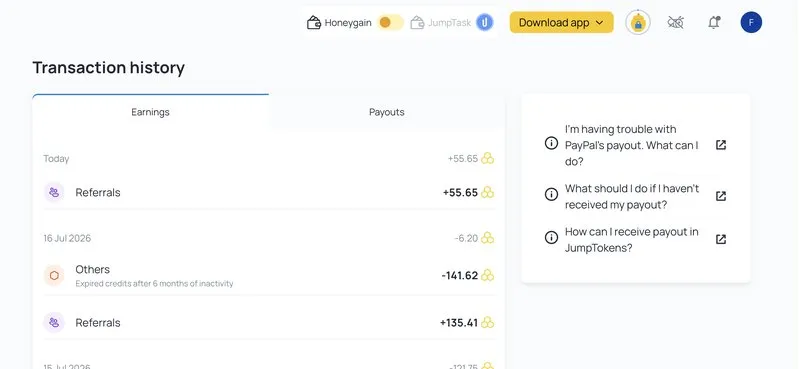
It isn’t a bug. Capacity is finite and demand for delivery nodes is regional, so some users sit queued for weeks, or permanently.
There’s no fix and no trick. Leave it enabled, treat anything it pays as a surprise, and build your expectations on the Gathering rate alone.
Earnings Sitting at Zero
Check three things in order. Your connection needs to sustain 10 Mb/s minimum, your device can’t be asleep, and on mobile you may have disabled data sharing entirely rather than just cellular.
If all three check out and you’re still flat, it’s almost certainly demand. Low-demand regions genuinely produce long stretches of nothing, and no setting will change that.
Payout Rejected by PayPal
The most common hard failure, and it has a simple cause. The name and email on your PayPal account must match your registration details.
Mismatches get rejected after processing, which means waiting all over again. Verify both before you request your first withdrawal, not after.
Rejected balances aren’t lost, to be clear. The credits return to your account and you can request again once the details match, but you’re back to waiting out the processing window from the start.
Sudden Spike in Data Usage
If your data consumption jumps, Content Delivery has almost certainly activated. That feature is bandwidth-heavy by definition.
On an unlimited plan that’s good news, and means you’re finally earning the higher rate. On anything metered, turn it off immediately.
Pros and Cons
Pros
- Genuinely passive with zero ongoing effort after install
- Minimal privacy ask compared with survey and browsing panels
- Negligible resource use on desktop
- Runs on Android, Windows, macOS, and Linux
- Crypto payout route carries no fee and adds a 20% bonus
- Referral bonuses are paid by Honeygain, not skimmed from your referral
- Payout infrastructure is proven at scale
Cons
- Earnings are very low, often under $1 per month on one device
- 15% PayPal fee is steep on small balances
- $20 threshold can take 5 to 12 months to reach on a single device
- Content Delivery is frequently queued and may never activate
- iOS version barely functions in the background
- Actively harmful on metered or capped data plans
- No publicly identified management team
- Your IP may get flagged as proxy-associated
Who Should Use Honeygain (and Who Should Not)
Unlimited home internet plus an always-on machine makes this worth installing. A metered or capped connection makes it a guaranteed net loss.
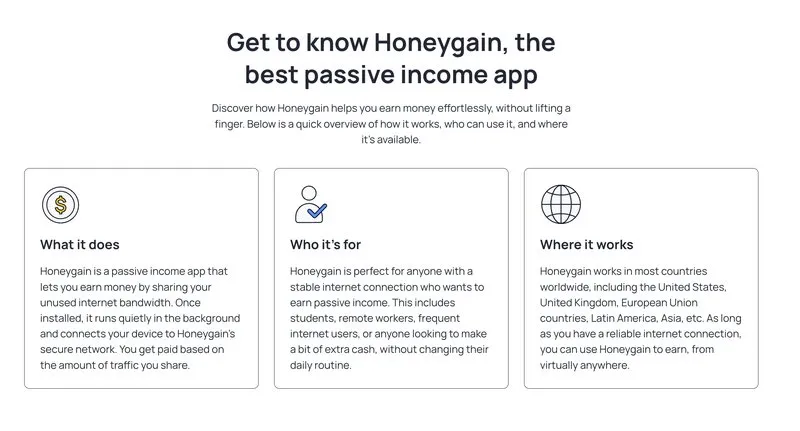
The verdict depends almost entirely on your setup, and it isn’t close in either direction.
Use It If
You have unlimited home internet access and at least one machine that stays powered on. The app costs you nothing you aren’t already paying for, so any income is upside.
It also makes sense if you’ve got devices on genuinely separate connections, like a home network plus a mobile plan with unlimited data. That’s the only realistic path to a monthly total worth noticing.
Skip It If
You’re on a metered plan, a mobile hotspot, or any connection with a data cap. Draw can run to several gigabytes a day on an active connection, and overage charges will dwarf anything you earn.
Skip it too if you are hoping to replace real earnings. The money here is measured in single dollars per month, and treating it as anything more sets you up for disappointment.
Bandwidth and CPU sharing apps like Gomez Peer Zone sit in the same tier if you want to compare the economics side by side. The limits are similar and so are the ceilings.
How to Sign Up
Setup takes about four minutes.
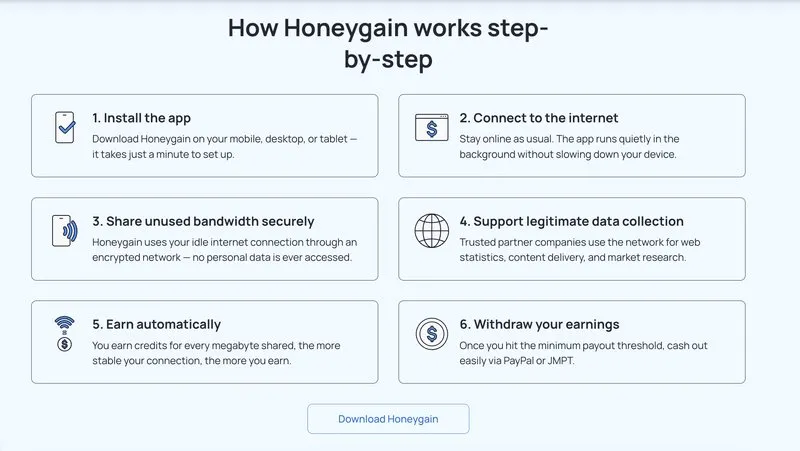
- Create an account at Honeygain with your email address. New accounts currently receive a $2 starting gift.
- Download the app for your platform from the dashboard, or from Google Play for Android.
- Sign in on each device you want earning. Use the same account everywhere.
- On mobile, open settings and disable mobile data sharing unless your plan is truly unlimited. This is the step that protects you from a surprise bill.
- On desktop, toggle Content Delivery on. It may sit in queue indefinitely, but it costs nothing to leave enabled.
- Claim the Lucky Pot when you remember. Then leave it alone.
The only maintenance is checking in monthly to see whether you have crossed the threshold.
Honeygain Alternatives Worth Knowing
Several apps resell residential bandwidth on the same model, and rates cluster tightly across all of them. Spreading across separate connections beats stacking on one.
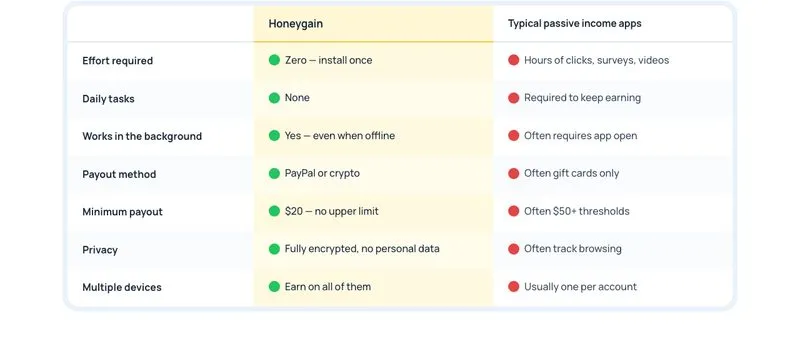
If the model appeals but you want to spread across networks, a few options overlap directly. Check each one’s current rate and payout minimum on its own site before committing, since these change without much notice.
PacketStream works on the same residential proxy premise and can run alongside Honeygain on separate devices. Its payout minimum is lower, which shortens the wait to your first cashout.
IPRoyal Pawns is another bandwidth seller in the same tier, and it also tends to set a lower threshold than Honeygain’s $20.
Repocket stacks multiple bandwidth buyers at once rather than reselling to one network, though it is a smaller operation with a shorter track record.
That clustering isn’t a coincidence. They resell the same underlying commodity, so nobody can pay dramatically more without losing money on it.
Running two or three at once is possible, but not on the same device or the same connection. They compete for the same idle capacity, and splitting one pipe between two buyers earns you roughly what a single buyer would’ve paid.
Outside pure bandwidth, the passive tier includes metered panels rather than proxy networks. The Nielsen Computer & Mobile Panel pays a fixed annual amount for letting research software track usage, which is more money but a far bigger privacy trade.
MobileXpression runs the same way on mobile, and browser-based earners like Ebesucher pay for open tabs rather than idle bandwidth. Each trades more visibility into your behavior for a higher rate.
The honest framing: Honeygain asks the least and pays the least. That’s a coherent position, not a flaw.
What Real Users Say
The consensus is consistent and unglamorous: it pays, it pays slowly, and your country decides how slowly.
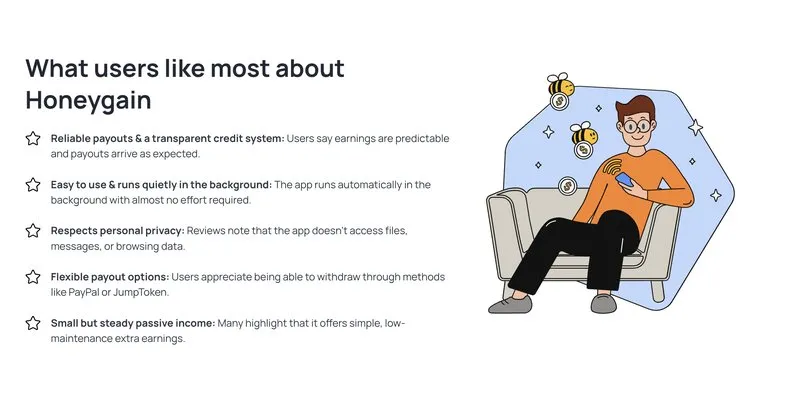
Community sentiment sits well clear of both the marketing and the scam accusations. Reddit’s Honeygain community reports steadily that the app pays, and just as steadily that it pays little.
One user testimonial Honeygain features on its own site cites roughly 2,600 credits, about $2.60, in a first month.
The recurring themes are patience and geography. Users in the US, Canada, and Western Europe report meaningfully higher rates than users elsewhere, and nearly everyone describes the wait to $20 in months rather than weeks.
Complaints cluster in three places. The PayPal fee, occasional dashboard display bugs, and payout rejections when the PayPal name does not match the Honeygain account.
That last one is worth flagging before you start. Make sure your PayPal email and account details line up with your Honeygain registration, since mismatches are the single most common cause of a rejected withdrawal.
Honeygain’s Trustpilot rating sits in favorable territory across a large review base, though ratings drift and are worth checking yourself. The company isn’t BBB-accredited and doesn’t publicly identify its leadership team, which is fair to note even if it hasn’t translated into payment problems.
Final Verdict: Is Honeygain Worth It?
Honeygain is legitimate and it pays. The question was never whether the money is real, it’s whether the amount justifies the trade.
For anyone with unlimited home internet and a desktop that stays on, yes. You’re converting capacity you already bought and will never use into a few dollars a month, and the data you hand over is narrower than almost anything else in this category.
For anyone on a capped plan, no, and it isn’t a close call. The overage math turns this into a net loss immediately.
Set your expectations at $1 to $3 a month on a normal household setup. Cash out to JMPT if you are comfortable with crypto, PayPal if you are not, and check the mobile data toggle before you forget about it.
That’s the whole product. It’s a small, honest, slow thing, and reviews promising otherwise are selling you a referral link.
Get started with Honeygain if that sounds like a fair trade.
Frequently Asked Questions
Does Honeygain really pay?
Yes. Honeygain reports more than 1 million completed payouts and an average payout of $27, and its payout operations were recognized in Tipalti’s 2025 Mass Payment Award.
Withdrawals process within about 48 hours. The earnings are small but the payment pipeline is proven.
How long does it take to get 20 dollars in Honeygain?
You need to share roughly 66 GB of traffic to reach the $20 PayPal threshold. On a single always-on desktop that takes about 5 to 8 months.
With three devices on separate IP addresses it drops to 2 to 4 months, and active Content Delivery can shorten it to 1 to 2 months.
How much does Honeygain pay for 100 GB?
About $10. The Gathering rate is 3 credits per 10 MB, which works out to roughly $1 per 10 GB shared.
Content Delivery pays separately at 6 credits per hour and can raise your effective total, though it is often queued and unavailable.
How much does Honeygain pay for 1 GB?
Roughly 10 cents. That follows from the Gathering rate of 3 credits per 10 MB, the same math that produces about $1 per 10 GB shared.
Content Delivery can lift your effective rate above that, but only while it is active rather than queued.
How much does Honeygain make per day?
On one always-on desktop, a few cents. That is the honest daily read behind the monthly ranges above, and it is why the $20 threshold takes months rather than weeks on a single machine.
Adding devices on separate IP addresses is the only reliable way to move the daily figure.
Which is the No. 1 money earning app?
There is no single winner, because these apps optimize for different things. Honeygain leads on effort, since it requires none after install, but pays the least.
Survey and panel apps like Nielsen pay more per year while collecting far more data about you. Cashback apps pay best of all, but only if you were already spending.
Is Honeygain safe for my personal data?
Honeygain’s privacy policy states it does not access your files, messages, or browsing history, and it holds only your email, IP address, traffic volume, and payout method. The real trade is that your IP address handles other people’s requests, which can mean more CAPTCHAs and occasional proxy flags on streaming services.
Does Honeygain slow down my internet?
Rarely on a healthy connection. The app’s CPU use is negligible and it caps its draw at a fraction of available bandwidth.
You may notice slowdowns if your connection is already limited or if many devices share one network.

Jason is a personal finance expert and the founder of Frugal For Less. He has spent over a decade researching and testing hundreds of money making apps, survey sites, and savings strategies to help readers earn more and keep more of their hard-earned cash.
More about the author →
Want to learn how to make an extra $1,000 per month?
Download our free guide with:
- 10 Side Hustles to Make $1,000/month
- Worksheet for setting money making goals
- Resource List to help you succeed